
Chrome extension for ChatGPT with auto-continue, per-tab controls and context handoff
chatgptchrome extensionproductivity

AI assistant for interviews and meetings
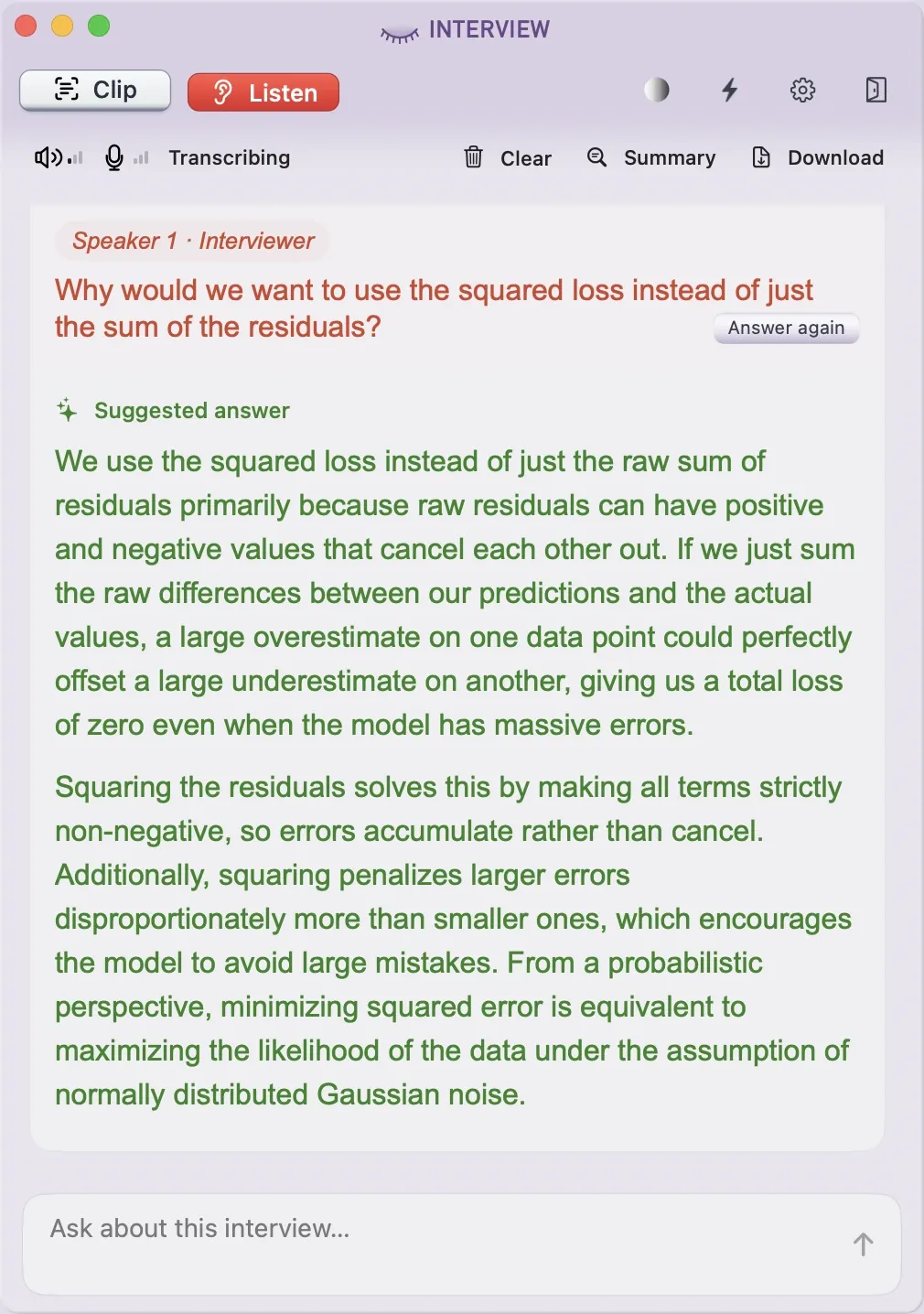
MoonSay is a desktop AI assistant for interviews and meetings on macOS and Windows. Follow live captions, request contextual AI answers, clip an on-screen question, and generate conversation summaries. Prepare with your CV, job description, and background materials. During a conversation, use Answer This for a spoken question or Clip for an on-screen problem. For technical interviews, review explanations, code, complexity, and edge cases. Visit moonsay.net to watch the workflow demo, download the desktop app, and compare plans.
Job seekers preparing for technical interviews and professionals participating in meetings.
Combines spoken-question assistance and screen clipping in a desktop workflow, with answers informed by uploaded preparation materials.
Chrome extension for ChatGPT with auto-continue, per-tab controls and context handoff
The original notch app for Mac, taken to the next level.
Auto-apply to jobs on Greenhouse, Lever and Ashby
Convert schedule images and PDFs into editable calendar events and ICS files
Discover the Best AI Tools
Forms, tables, workflows and AI agent steps in one automation platform